


The main screen
Every control on the Beyond Site dashboard, labelled
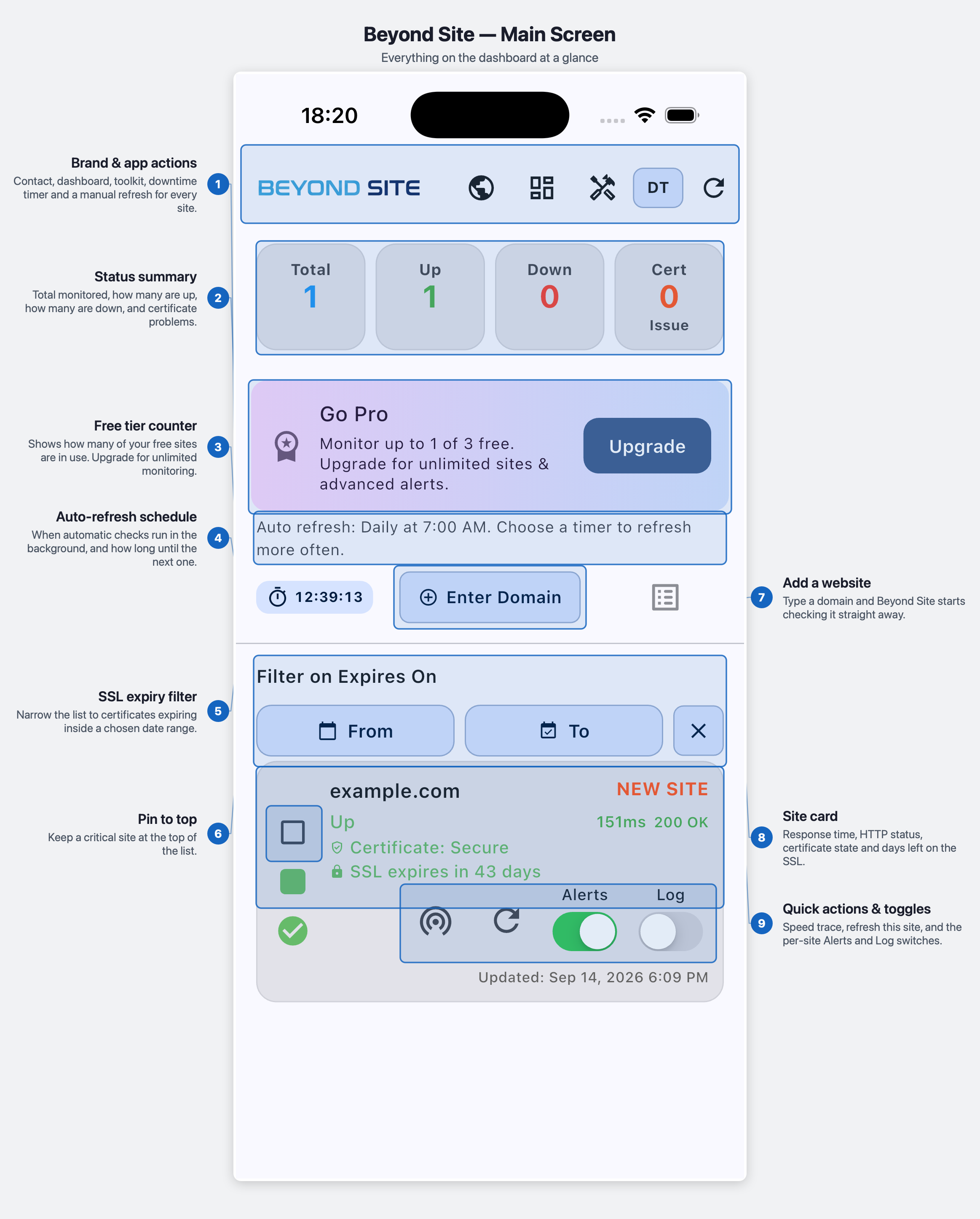
- Brand & app actionsContact, dashboard, toolkit, downtime timer and a manual refresh for every site.
- Status summaryTotal monitored, how many are up, how many are down, and certificate problems.
- Free tier counterShows how many of your free sites are in use. Upgrade for unlimited monitoring.
- Auto-refresh scheduleWhen automatic checks run in the background, and how long until the next one.
- SSL expiry filterNarrow the list to certificates expiring inside a chosen date range.
- Pin to topKeep a critical site at the top of the list.
- Add a websiteType a domain and Beyond Site starts checking it straight away.
- Site cardResponse time, HTTP status, certificate state and days left on the SSL.
- Quick actions & togglesSpeed trace, refresh this site, and the per-site Alerts and Log switches.